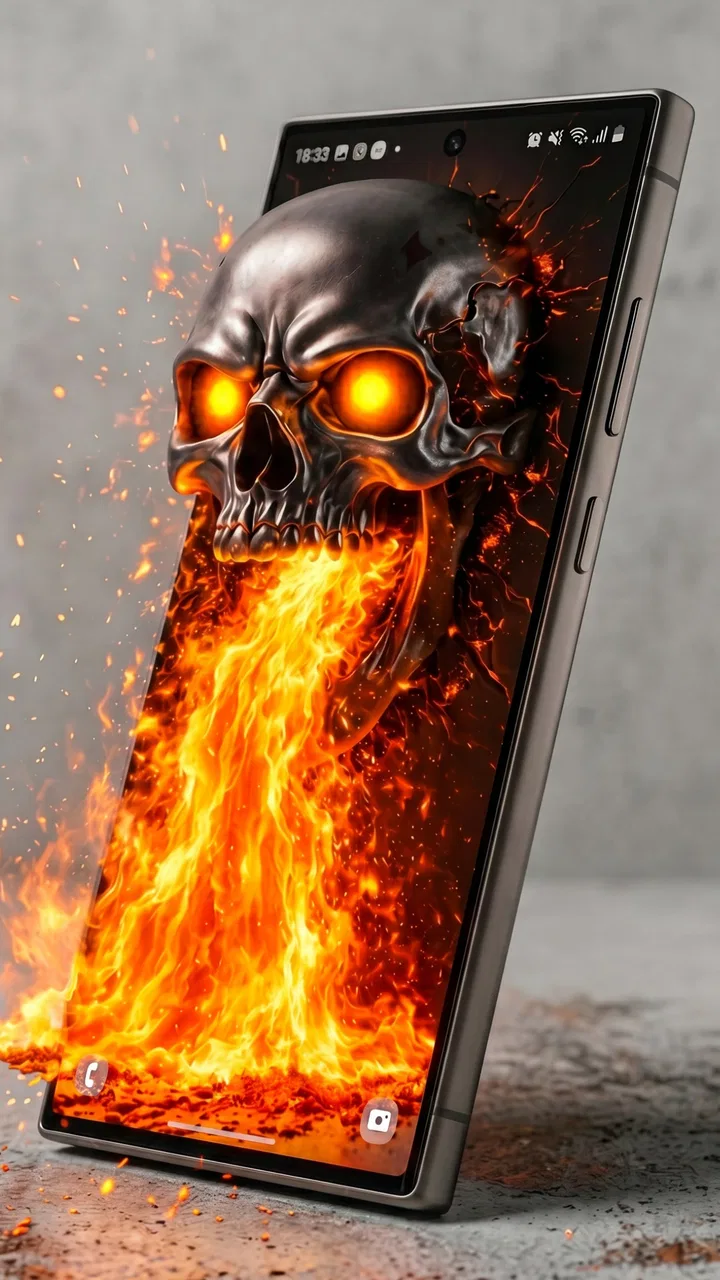
3D Live Wallpapers 4D video 4K
- 4.5
- Rating
- 10.00M
- Installs
- Free
- Price

 Analysis by App-foxy
I usually treat wallpaper apps as small quality-of-life tools rather than essential software, so I was curious to see whether 3D Live Wallpapers 4D video 4K could make a phone feel more personal without becoming annoying. After spending time browsing its collection and testing moving backgrounds in ordinary situations, I found an app that is visually ambitious and easy to understand, but not equally comfortable for every person or every phone. Its main appeal is immediate: it turns the home or lock screen into a changing visual surface instead of leaving it static.
This is a free personalization app from Nebuchadnezzar DOO, aimed at people who want animated, three-dimensional-looking backgrounds and themes. It is rated for Everyone, works from Android 7.1 onward, and has reached over 10 million installs. The current version is 1.24.01. Those details matter because the app is not limited to recent flagship devices, although the quality of the experience will still depend heavily on the phone’s display, performance, battery condition, and the way its launcher handles live wallpapers.
How the app feels to browse and use
I find the browsing experience works best when I treat each wallpaper as a choice about how I want the phone to feel, not just how it looks in a preview. I’d compare a few options against my actual icon layout and daily habits before applying one; that small pause can spare me from a striking background that becomes distracting. From there, the key question is how the app’s moving visuals behave during ordinary use.
You May Also Like

 Blood Strike: 2.5 Anniversary
Blood Strike’s Loadouts Turn Every Drop Into a Tactical Gamble
A close look at Blood Strike’s custom loadouts: how fast access to signature weapons reshapes its battle royale rhythm, rewards preparation, and narrows the gap between fights.

 Pandora - Music & Podcasts
Pandora’s Music Is Easy to Start, but Harder to Recover
Pandora’s strength is its low-effort path from a seed to a station. Its weak spot is how much confidence it asks you to place in connection, setup, and quiet recovery.

 8 Ball Pool
 Is Built on Rivalries, Rematches, and Routine
A close look at the rivalries, rematches, shared routines, and unanswered safety questions that turn a quick pool match into a persistent mobile community.

 Samsung Music
’s Quiet Strength Is Playing What You Already Own
Its reach comes less from spectacle than from dependable access to a personal library. That simplicity is both the app’s strongest retention engine and its ceiling.

 AccuWeather: Weather Radar
AccuWeather Review: A Quick, Clear Forecast for Everyday Decisions
For everyday plans, the best forecast is the one you can understand quickly. AccuWeather makes rain timing, radar, and local conditions easy to act on, with a few trade-offs.

 Hill Climb Racing
Why Hill Climb Racing Still Turns Crashes Into One More Run
A tiny car, a bumpy hill and one more upgrade: Hill Climb Racing keeps resurfacing because its simple chaos makes every near-miss feel personal.
More From Our News Desk



Readability starts with a visual-first layout
The first thing I noticed is that the app communicates through previews. Instead of asking me to understand a complicated set of controls, it puts the wallpaper itself at the center of the experience. That is the right choice for this kind of product: I can judge a background by looking at it rather than reading a long explanation. The emphasis on 3D scenes, motion, and high-resolution presentation makes the browsing process feel closer to choosing a visual mood than configuring a technical tool.
That approach is particularly helpful for people who find dense settings menus tiring. A large preview gives a quick answer to the most important question: will this look good behind my icons? I recommend checking that rather than choosing only from a thumbnail. A background that appears impressive in a full-screen preview can become visually busy once notification badges, widgets, and app labels are placed over it.
The navigation is generally approachable because the purpose of each step is easy to infer: browse, preview, and apply. I did not need specialist knowledge to understand the basic workflow. The app’s store rating of 4.5 from around 436 thousand ratings also suggests that the straightforward presentation works for a broad audience, although a rating cannot tell me whether a particular animated scene will suit an individual’s eyesight, launcher, or battery habits.
For readability, I would choose darker or less detailed scenes when I rely on light-colored icons. This is one of the most useful decisions to make before applying anything. A bright, high-contrast background can make labels harder to distinguish, while a dark scene often leaves more breathing room around the icon grid. The app gives me visual variety, but the responsibility for maintaining a readable home screen remains with me.
Previewing is more important than applying quickly
I found it tempting to apply the first attractive design, especially when the motion makes a preview feel more exciting than a still image. A better workflow is to pause and inspect the composition. Look at the top area where status information appears, the lower area where navigation controls may sit, and the center where the most frequently used icons usually live. If the animation repeatedly crosses those areas, the result can feel distracting even when the artwork is technically impressive.
This is also where the app differs from a normal static wallpaper picker. A static image can be judged almost instantly, but a moving background needs a little observation. I like to watch for loops that feel too noticeable, bright flashes, or objects that constantly pass behind text. These are not faults in every design, but they can become tiring during repeated daily use.
Someone who changes wallpapers often will probably enjoy this browsing style. Someone who wants to set one background once and forget about it may find the collection more elaborate than necessary. In that case, the phone’s built-in wallpaper tool or a carefully chosen still image is likely the calmer option.
Motor comfort and the effort required
The basic interaction does not demand complicated gestures or precise editing. That is a strength for users who prefer a short, predictable sequence. I can browse visually and make a selection without building a custom scene from many tiny controls. For people with limited dexterity, fewer configuration steps can make the experience less tiring than a wallpaper editor that expects repeated dragging, cropping, and adjustment.
There is still a practical issue: browsing animated previews can encourage a lot of scrolling and repeated tapping. If touch accuracy is difficult, fast browsing through a large visual collection may become frustrating. I would approach it in short sessions, use the phone’s normal touch settings where available, and avoid treating the app as something that must be explored all at once. The most accessible workflow is often to choose a small group of likely backgrounds, preview them carefully, and stop once one works.
The app is more suitable for selection than for detailed personalization. That trade-off keeps the interface approachable, but it also means users who need a very specific crop, motion behavior, or arrangement may feel constrained. A dedicated editor can offer more control, while this app is better when I want a ready-made visual result with minimal setup.
Motion, contrast, and sensory comfort
Animated wallpapers are not automatically comfortable for everyone. Continuous movement can draw attention away from icons, reading, or a task on the screen. Some people may enjoy subtle drifting effects but dislike rapid movement, strong contrast, or scenes with repeated flashes. I would not assume that a 3D effect is better simply because it is more noticeable.
My practical advice is to test a background during normal phone use rather than judging it only in the selection screen. Open a messaging app, return to the home screen, check a calendar widget, and leave the device idle for a while. If the motion keeps pulling my eyes toward the background, I know it is not the right choice for a workday, even if it looks excellent in a preview.
This is where the app can support different sensory preferences only through careful choice. A user who wants visual energy can select a more dramatic scene, while someone who needs a quieter display should look for darker, simpler, slower-looking designs. The app’s 4K and HD presentation can make fine detail attractive, but more detail is not always more comfortable. For me, visual clarity matters more than maximum spectacle.
People sensitive to motion should be especially selective. I would keep a static alternative available and switch away from a moving background if it causes discomfort. That is not a criticism of the entire app; it is a reminder that personalization should include the option to reduce stimulation when the phone is used for long periods.
Using it in different everyday situations
One realistic use case is a phone used mostly at home for quick checks, music control, and casual messaging. In that setting, an animated background can add personality without getting in the way, particularly when the chosen design leaves the icon labels clear. I can see the appeal for someone who enjoys changing the atmosphere of a device with the seasons, a new hobby, or simply a different color palette.
A second situation is a phone used outdoors. Bright sunlight already makes screens harder to read, so a highly detailed or bright wallpaper can compete with interface text. I would choose a darker, simpler preview before leaving home and avoid judging the result indoors alone. The app gives me plenty of visual choice, but outdoor readability depends on the combination of wallpaper, display brightness, and icon contrast.
For work or study, I would be more conservative. A restrained background may make the home screen feel pleasant without constantly asking for attention. If I use the phone as a quick reference device, the best wallpaper is the one I stop noticing after a few minutes. That is a useful test: if I keep watching the animation instead of opening the app I intended to use, the design is too active for that context.
For older users or anyone who prefers a low-effort setup, the app can be appealing because the visual result is immediate. However, the person helping them choose should focus on legibility rather than novelty. A wallpaper with strong depth effects may look impressive but obscure labels or make the screen feel crowded. The most inclusive choice is not necessarily the most elaborate one.
Device performance and battery trade-offs
Live wallpapers ask the phone to display motion instead of a single still image, so I would expect them to have a different effect on battery and responsiveness from a static background. The exact result varies by device and usage, and I would not promise the same behavior on every Android phone. On an older or heavily loaded device, a moving wallpaper may be less worthwhile than a still image if smoothness and battery endurance are priorities.
The app supports devices beginning with Android 7.1, which makes its potential audience broad. Compatibility, however, is not the same as identical performance. A phone that can install the app may still show differences in animation smoothness, loading time, or how quickly the launcher returns to normal after applying a background. I would test one wallpaper for a full day before deciding whether it fits my routine.
There is also a storage and attention trade-off when choosing high-resolution visuals. The promise of 4K and HD presentation is attractive on a sharp display, but the practical improvement may be less obvious on a smaller screen viewed from a normal distance. If I mainly want motion and color, a lighter-looking option may be more sensible than always choosing the most detailed preview.
The app itself is free to install, with optional in-app purchases ranging from $0.99 to $3.99 per item. That makes trying the basic experience relatively low-risk, but I would still check each purchase screen carefully before confirming anything. The free entry point is useful for testing compatibility, visual comfort, and battery behavior before spending money on additional items.
Where it compares well with usual alternatives
The built-in wallpaper picker remains the simplest alternative. It is usually faster, more familiar, and better for someone who wants a static image with minimal impact on the phone. If my only goal is to change a color or photograph, I would not install a specialized live-wallpaper app just for that.
Static wallpaper collections are also a better match for people who read on the home screen, use accessibility-oriented contrast choices, or want the least distracting interface possible. Their weakness is that they cannot provide the sense of depth and movement that makes this app interesting. The choice comes down to whether the background should be noticed or merely support the rest of the screen.
Advanced wallpaper editors can be preferable for users who want to create a precise personal design. They may offer more control over cropping, placement, and behavior, whereas this app focuses on ready-to-use visual scenes. I see 3D Live Wallpapers 4D video 4K as the middle ground: more expressive than the default picker, but less demanding than building a wallpaper from scratch.
That middle position is its strongest practical identity. I do not need to learn an editing system, yet I get more atmosphere than a standard still image. The compromise is that the final result depends on the available designs and on how well each one fits my icons, launcher, and personal tolerance for motion.
Remaining barriers before making it a daily choice
The biggest barrier is not basic navigation; it is visual overload. A collection built around movement and depth can encourage choices that look impressive in isolation but reduce everyday clarity. Users who depend on predictable, quiet screens may need to spend more time filtering their choices than they expected.
Another barrier is uncertainty about long-term comfort. A wallpaper can feel exciting for five minutes and irritating after several hours. I would treat the first application as a trial rather than a permanent decision. If the phone feels slower, the battery seems less dependable, or the animation interferes with reading, switching back to a static background is the sensible response.
There is also a learning curve in judging visual compatibility. The app makes previews easy, but it cannot make the decision for me. I need to consider icon color, widget placement, outdoor use, night-time viewing, and whether other people may need to read the screen. This is manageable, though it means the most attractive preview is not always the most usable selection.
Finally, users who need highly specific accessibility adjustments should be cautious about relying on a decorative wallpaper app as the main solution. The app can help create a comfortable background when I choose carefully, but it should not replace system-level settings or a static design when those provide better control. For someone who needs minimal motion and maximum predictability, the usual alternative may simply be better.
My inclusive verdict
After using it as a personalization tool, I think 3D Live Wallpapers 4D video 4K is a good fit for people who want their Android phone to feel more expressive and enjoy animated visual detail. Its free starting point, clear preview-led approach, and broad Android compatibility make it easy to try. The strong rating and more than 10 million installs show that the concept has found a sizable audience, but my recommendation still depends on how each person uses a phone.
I would recommend it to someone who likes changing visual themes, has a reasonably capable device, and is willing to choose backgrounds based on readability rather than spectacle alone. I would also recommend previewing a design with the real home-screen layout, testing it outdoors and during a normal workday, and keeping a static option ready. Those small checks reveal more than a quick glance at a colorful preview.
I would skip it, or use it only occasionally, if motion is uncomfortable, battery life is critical, the phone already struggles with smooth performance, or the home screen must remain as quiet and legible as possible. In those cases, a built-in static wallpaper tool is not a lesser choice; it is the more appropriate one.
Overall, Nebuchadnezzar DOO has made a visually focused app that is easy to approach but rewards thoughtful selection. The most inclusive way to use it is to treat movement as an option, not a requirement: choose subtle designs when clarity matters, avoid busy scenes behind important labels, and change back to a still image whenever the animation stops helping. For me, that balance is what turns the app from a flashy novelty into a genuinely useful personalization choice.
FAQs for 3D Live Wallpapers 4D video 4K
01What features does the 3D Live Wallpapers 4D Video 4K app offer?
The app provides a vast collection of high-quality 3D wallpapers and 4K videos that bring your phone's screen to life. It includes dynamic wallpapers with 4D depth effects, customizable options, and a user-friendly interface for easy navigation. Users can also enjoy automatic updates and a variety of themes to suit any preference.
02Is the 3D Live Wallpapers app compatible with all devices?
While the app is designed to work on most modern Android and iOS devices, compatibility may vary based on your device's specifications. It's recommended to check the app's requirements on the download page to ensure your device supports the 3D and 4K features for optimal performance.
03Does using 3D Live Wallpapers affect battery life significantly?
3D Live Wallpapers can slightly impact battery life, as the dynamic and interactive nature of the wallpapers requires more processing power. However, the app includes settings to optimize performance and minimize battery usage, allowing you to enjoy vibrant visuals without a significant drain.
04Are there in-app purchases or subscription fees for 3D Live Wallpapers?
The app offers both free and premium content. While many wallpapers are available for free, there are exclusive designs and features that require in-app purchases or a subscription. This allows users to access the full range of premium 3D and 4K wallpapers and enjoy an ad-free experience.
05How often does the app update its wallpaper collection?
The app regularly updates its wallpaper collection to provide users with fresh and exciting content. New 3D and 4K wallpapers are added weekly, ensuring a diverse and constantly evolving catalog that caters to various tastes and preferences. Users can enable notifications to stay informed about the latest additions.
Pros
- Stunning 3D effects enhance the home screen.
- Wide variety of wallpapers to choose from.
- Easy to navigate and user-friendly interface.
- Regular updates with new content.
- Low battery consumption despite high quality.
Cons
- Premium features require a subscription.
- Some wallpapers may not fit all screens.
- Occasional ads can be intrusive.
- Needs a stable internet connection.
- Limited customization options available.

3D Live Wallpapers 4D video 4K
Gallery